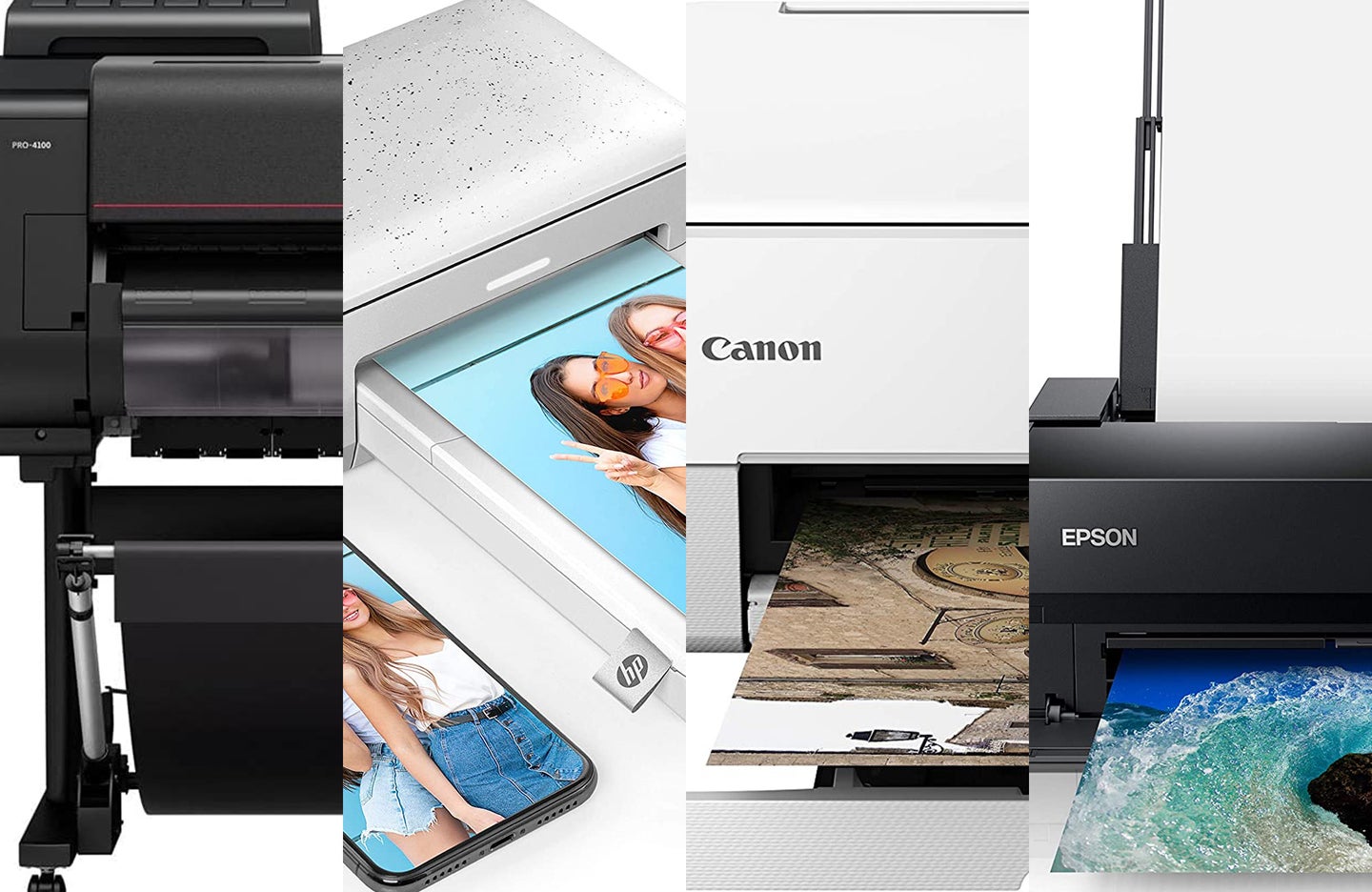
The best printers for photos in 2023
On-demand photo printing requires specialized equipment for the best results. Finding the best printer for photos comes down to resolution, ink type, and paper format.
We may earn revenue from the products available on this page and participate in affiliate programs. Learn more ›
When searching for the best printers for photos, you’ll find a plethora of options and form factors. Printers are available in everything from large, wide-format versions to compact portable ones designed for smartphones. Some are all-in-one devices meant to be all-around workhorses, while others are designed to print photos exclusively.
Professionals and enthusiasts alike will appreciate the flexibility that photo printers provide. It gives you more control over final results and keeps you from waiting for deliveries as you would with third-party printing services. Still, you’ll need to pay close attention to a unit’s print quality specifications. The demands of detail reproduction and color accuracy in photos stretch far beyond those that plain text documents require. Below, we’ll break down a few of the best printers for photos and highlight some key features to keep your eye on while shopping.
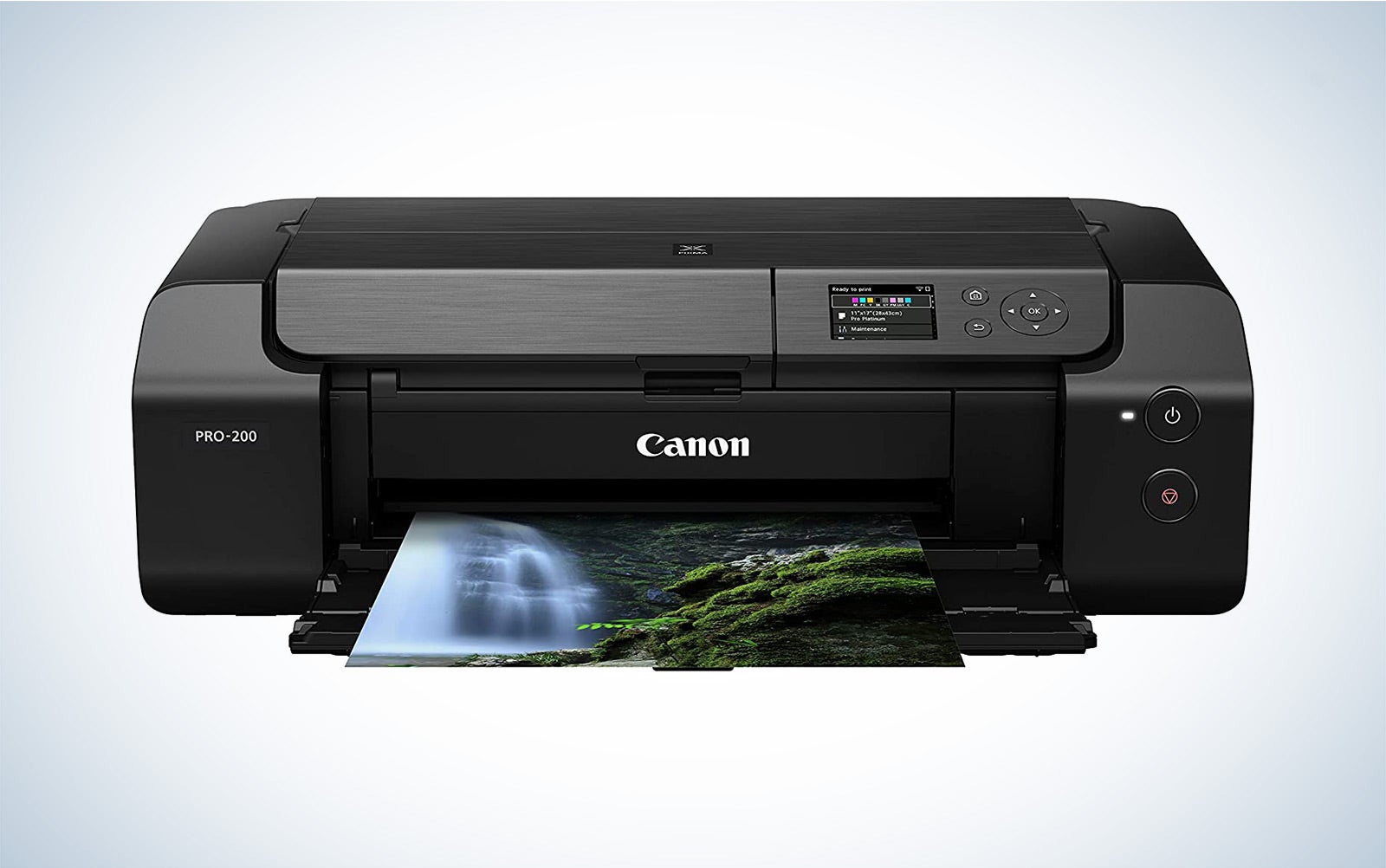
- Best overall: Canon PIXMA PRO-200
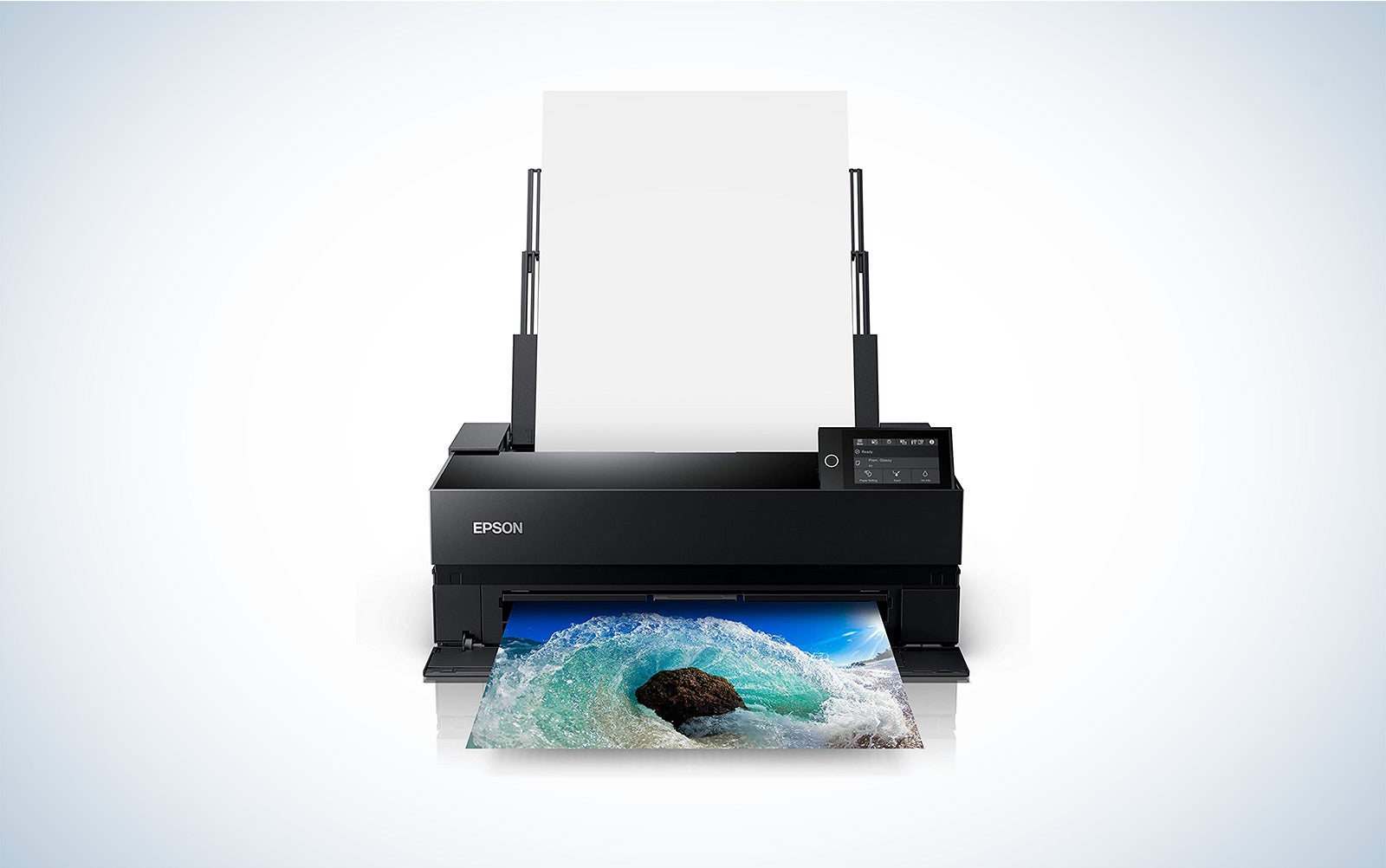
- Best wide format: Epson SureColor P900
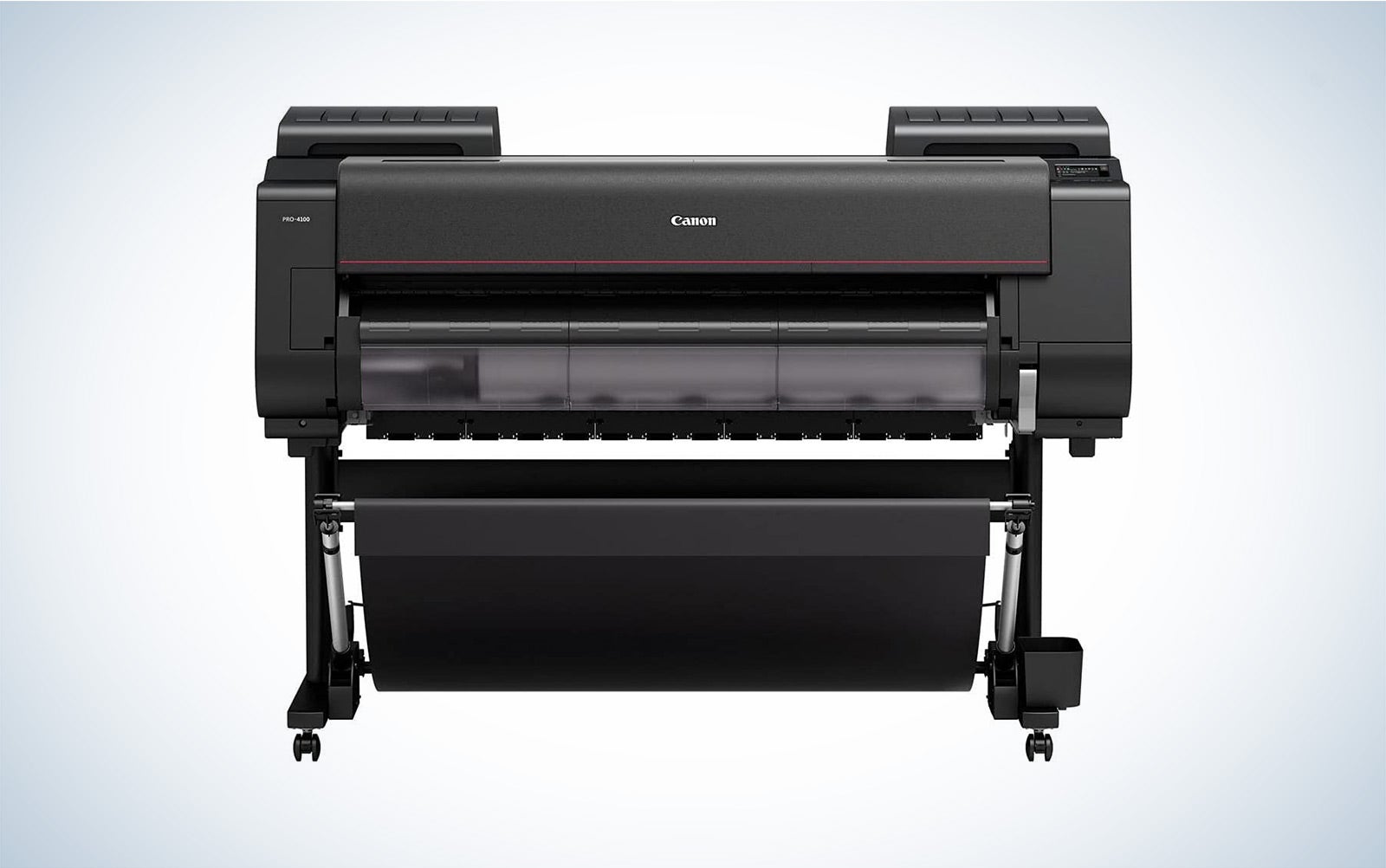
- Best for professionals: Canon imagePROGRAF Pro-4100
- Best tank: Epson EcoTank Photo ET-8550 All-in-One Supertank
- Best for 4×6 prints: HP Sprocket Studio
- Best for at home: Epson Expression Premium XP-7100
- Best budget: Canon Pixma TS5320
How we picked the best printers for photos
I have been involved in photography in some capacity for over a decade, with much of that time focused on the fine art or academic world. As a result, I have worked with many different types of printers and helped teach students how to print their own photographs.
When selecting the best printers for photos, I prioritized aspects that impact print quality, including the number of inks, ink types, resolution, print head, and the number of nozzles. Of course, color accuracy was also a significant factor. I also considered media handling, as different photographers have different needs in that regard. Lastly, features such as connectivity options and running costs were also important.
The best printers for photos: Reviews & recommendations
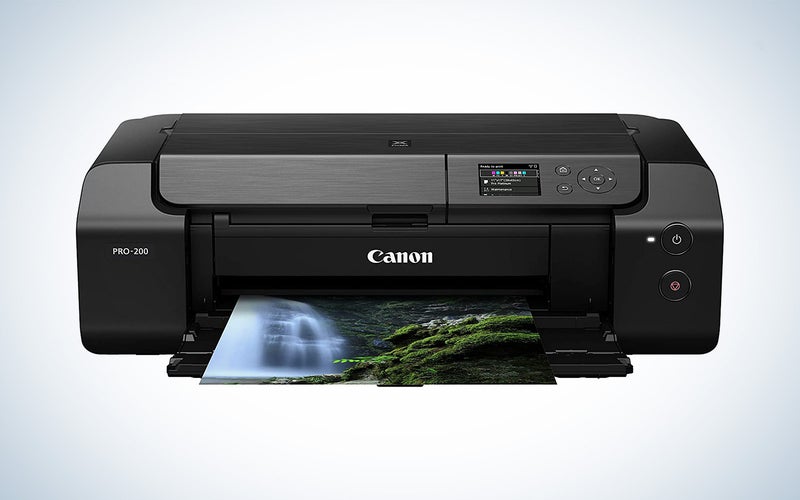
Best overall: Canon PIXMA PRO-200
Canon
Why it made the cut: It’s a well-rounded machine with a relatively low price for such high quality. Plus, it’s capable of printing panoramic images up to 13 by 39 inches.
Specs
- Printer size: 25.2 x 7.9 x 15 inches, 25.2 x 16.4 x 33 inches maximum
- Ink: 8 dye-based colors (black, cyan, magenta, yellow, photo cyan, photo magenta, gray, light gray
- Max print size: 13 x 39 inches | Borderless: 13 x 19 inches
- Max resolution: 4800 x 2400 dpi
Pros
- Excellent print quality, especially on glossy paper
- Relatively small footprint
- Can print large panoramic images
- Fast print speeds for photos
Cons
- Doesn’t support roll media
If you’re looking for a high-quality printer for photos but don’t want to spend a fortune, Canon’s PIXMA PRO-200 is an excellent buy. Of course, it’s not as cheap as standard home or office printers, but unlike those, it provides professional-level quality for photos.
The PIXMA PRO-200 has eight dye-based inks, producing more accurate and vibrant colors. Subtle shifts between colors will be smooth, resulting in more attractive prints. The printer especially shines with black and white images with truly stunning output. Its specialty is also glossy photo paper. Prints won’t look quite as nice on matte or fine art papers, though that’s not to say they will look bad by any means.
My biggest complaint with this printer is that it doesn’t support roll media. Paper rolls offer better economy and flexibility in print sizes, so it is disappointing to see a professional-level printer that doesn’t provide that. But, if you get the right size sheets of paper, you can print custom-sized panoramic images and borderless prints up to 13 by 19 inches.
The PIXMA PRO-200 provides USB, Ethernet, and Wi-Fi connectivity, so you don’t need to worry about always being tethered to the printer. It’s also fast in terms of photo printing, which is a nice feature. Overall, it’s a well-rounded, high-quality option that won’t cost an arm and a leg.
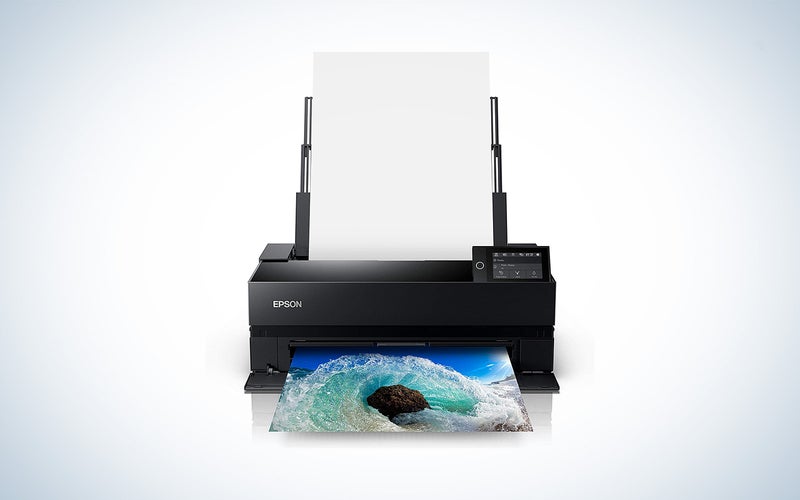
Best wide format: Epson SureColor P900
Epson
Why it made the cut: The SureColor P900 produces exceptional, professional-level quality in a vast selection of sizes and on numerous paper types, including rolls.
Specs
- Printer size: 24.2 x 7.8 x 14.5 inches, 24.2 x 20.5 x 35.6 inches maximum
- Ink: 10 pigment-based (violet, photo black, cyan, vivid magenta, yellow, light cyan, vivid light magenta, gray, matte black, light gray)
- Max print size: 17 x 708.66 inches (file size and paper roll dependent) | Borderless: 17 x 22 inches
- Max resolution: 5760 x 1440 dpi
Pros
- Exceptional print quality
- Accepts rolls of paper
- Pigment-based ink for more professional results
- Compatible with a variety of paper types, from glossy to baryta-fiber based
Cons
- Roll adapter must be bought separately
For those wanting to produce professional-level photographic prints, the SureColor P900 is the top choice. It’s an update on the also impressive P800 and features a much smaller footprint. As a wide-format printer, it can print borderless prints up to 17 by 22 inches. With a border, it can print essentially any size up to 17 inches wide; you’ll only be limited by your file size and the length of a roll of paper.
This printer can produce absolutely stunning quality worthy of galleries and museums. That’s thanks to the new ink, printhead, and Carbon Black technology. It utilizes ten colors of Epson’s UltraChrome PRO10 pigment-based inks, which provide a wider color gamut and better durability. In addition, the 10-channel MicroPiezo AMC printhead is capable of three sizes of ink droplets down to a minuscule 1.5 picoliters for exceptional detail. And finally, the Carbon Black Driver results in richer blacks on glossy paper. Keep in mind, though, that a printer is only as good as the paper you put in it, so be sure to get quality photo paper.
While the P900 does support roll media, you will, unfortunately, have to purchase it separately. That’s disappointing considering the already higher cost of this printer. But it offers USB 3.0, Ethernet, and WiFi connectivity, along with various mobile printing options. If you sell prints to clients or are a fine art photographer, this is well worth the investment if you don’t need wider than 17 inches.
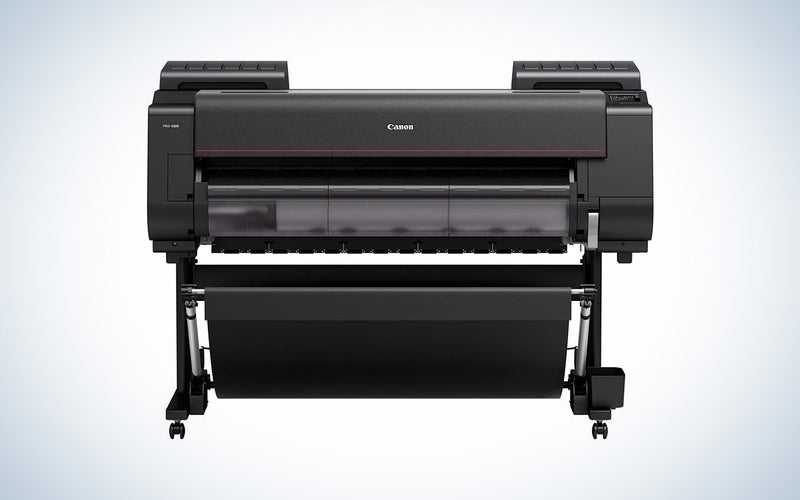
Best for professionals: Canon imagePROGRAF Pro-4100
Canon
Why it made the cut: For artists and professionals, you can’t beat the quality or size options of this printer. And it has built-in AI for easier printing and paper loading.
Specs
- Printer size: 62.7 x 46 x 38.7 inches
- Ink: 12 pigment-based (blue, cyan, gray, magenta, matte black, photo black, photo cyan, photo gray, photo magenta, red, yellow)
- Max print size: 44 inches wide
- Max resolution: 2400 x 1200 dpi
Pros
- Built-in AI for easier printing and automatic loading
- Outstanding print quality
- Stunning and accurate color reproduction
- Capable of a wide range of sizes, up to 44 inches wide
Cons
- Expensive
Canon’s Pro-4100 is a true workhorse for professionals and artists. It supports rolls and sheets as small as 6 by 8 inches and as large as 44 by 708 inches and 43.7 by 63 inches, respectively. No matter what size you need, this printer can tackle it.
Of course, for a printer this expensive, you would expect exceptional print quality, and that’s what you get. It utilizes LUCIA PRO 11-Color plus Chroma Optimizer ink system, which are pigment-based inks. Additionally, the PF-10 print head has 18,432 nozzles and anti-clogging technology to keep you printing. Thanks to both of those features, it produces museum-quality prints with stunning clarity and excellent color reproduction.
Large, professional-grade printers can often be complex and challenging to use. But, Canon utilized AI and intelligent media holding in this high-end printer to simplify the process. It automatically feeds rolled paper into the printer, meaning there is less chance of leaving behind fingerprints and dirt. And sensors measure surface reflection and the media thickness to detect media type and how much is left on the roll. It makes getting started easier and prevents running out of paper mid-print, saving you paper and ink. As with almost all technology, but especially so with high-end pieces of equipment, you will want to make sure to keep the drivers updated for the best results, which can be found on Canon’s website.
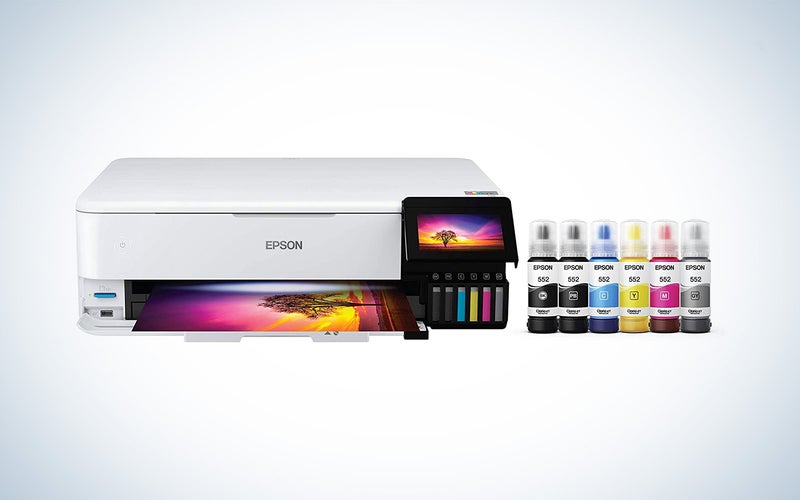
Best tank: Epson EcoTank Photo ET-8550 All-in-One Supertank
Epson
Why it made the cut: For those wanting to save on ink costs, Epson’s EcoTank 8550 offers low running costs while maintaining excellent photo print quality.
Specs
- Printer size: 20.6 x 16.9 x 29.8 inches
- Ink: 6 colors, Pigment-based: Black | Dye-based: Gray, photo black, cyan, magenta, yellow
- Max print size: 13 x 19 inches
- Max resolution: 5760 x 1440 dpi
Pros
- First two years of ink are free
- Relatively low running costs for a photo printer
- Excellent print quality
- Simple to use with all-in-one functionality
Cons
- A bit pricey upfront cost
Photo printers are rather notorious for eating up ink. Unfortunately, it’s just the nature of the beast when printing photographs, especially color images. But this Epson EcoTank option helps cut down on some of those ink costs, making it more approachable. It’s also one of the few tank printers that is also wide-format and optimized for printing photos.
The ET-8550 is an all-in-one printer, making it a well-rounded option for those who don’t want a dedicated photo printer. It can scan up to 4800 x 1200 dpi on the 8.5 by 14-inch flatbed scanner and can print up to 99 copies at a time. The scanner is useful for creating lensless images or scanning artwork you want to digitize.
Though this printer is classified as a hobbyist-level printer, it produces excellent photo quality. Prints are well-detailed with accurate colors. It utilizes six ink colors, five of which are dye-based. And the addition of photo black and gray results in beautiful monochrome prints. It’s expensive to buy upfront, especially for the level of the printer, but the low running costs will save you money in the long run.
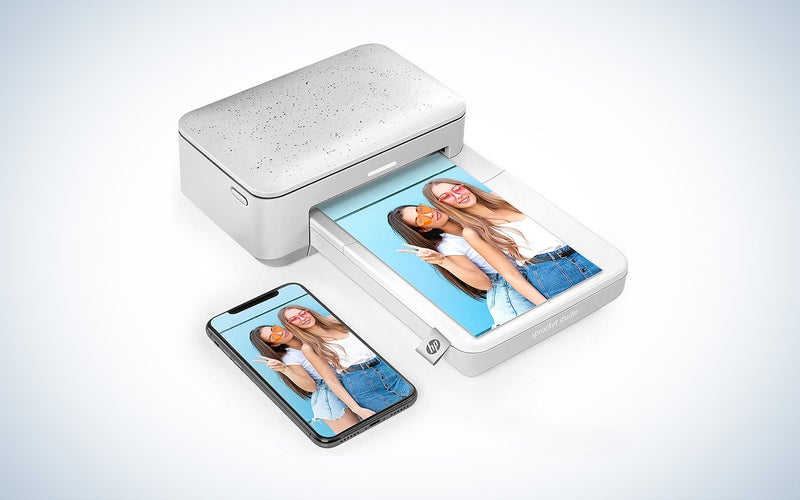
Best for 4×6: HP Sprocket Studio
HP
Why it made the cut: It’s a compact, affordable printer, ideal for printing images right from your camera roll on your phone.
Specs
- Printer size: 10.75 x 6.65 x 2.68 inches
- Ink: 1 cartridge, dye sublimation
- Max print size: 4 x 6 inches
- Max resolution: 300 dpi
Pros
- Compact and portable
- Lots of editing features
- Easy to use
- Good quality, glossy photos
Cons
- Not pocket-sized like other options
- Needs a power source
Thanks to its compact size and quality photos, the HP Sprocket Studio is one of the best portable photo printers you can buy. Of course, it is limited to 4 by 6-inch glossy prints, so you’ll want to keep that in mind, but the quality is excellent from such a small device.
Unlike HP’s other pocketable printers, the Sprocket Studio utilizes dye sublimation printing, which produces better quality photos than the Zink (zero ink) used in the others. You will need to purchase ink cartridges, which come in packs of two with 80 sheets of paper. It produces mostly accurate colors with good detail. Of course, it won’t be the same professional-level quality as the other options on the list, but it is more than enough for fun prints from your phone.
The HP Sprocket app is straightforward to use and connects to the printer via Bluetooth. It has loads of in-app editing options, including frames, stickers, and collage templates. The prints are smudge-proof, water-resistant, and tear-resistant, so you can pass them along to friends or hang them on walls immediately.
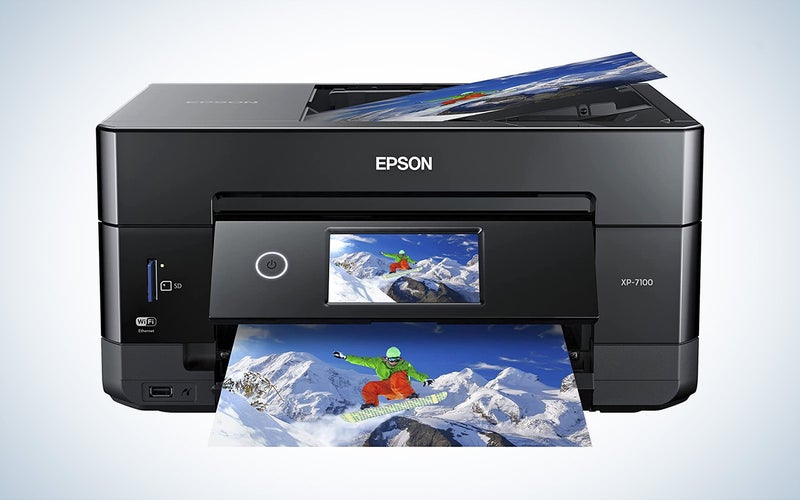
Best for at home: Epson Expression Premium XP-7100
Epson
Why it made the cut: This all-in-one option offers printing, scanning, and copying while still producing quality photos. Plus, it has a small footprint, making it ideal for home settings.
Specs
- Printer size: 15.4 x 7.5 x 13.3 inches, maximum 17.2 x 8.1 x 23.5 inches
- Ink: 5 pigment-based (Cyan, Magenta, Yellow, Black, Photo Black)
- Max print size: 8.5 x 14 inches
- Max resolution: 5760 x 1440 dpi
Pros
- Very affordable
- Excellent print quality
- All-in-one functionality
- Lots of connectivity options
Cons
- High running costs
Most home users will have more jobs for a printer than just photos. That’s why this all-in-one option with printing, scanning, and copying is a great choice for home use. Despite its budget price, it produces very good quality photos. It won’t be pro-level, but it’s more than what most home and family use requires.
Another ideal feature of a home printer is a paper tray with a good capacity, so you don’t have to remember to refill as often. Though not massive, the XP-7100 has a 100-page input tray and a 20-sheet capacity dedicated photo paper tray. That’s more than enough for most and means you can print photos without needing to swap the paper. It can also print on pre-surfaced CDs and DVDs. And the 30-page ADF (Automatic Document Feeder) allows you to print, scan, and copy double-sided documents automatically.
This printer is relatively small, making it easier to keep in a desk corner without taking up all the space. It has loads of connectivity options, including WiFi, Ethernet, USB 2.0, and WiFi direct. There’s also a wide variety of mobile printing options from apps like Epson Email Print, Apple AirPrint, and Google Cloud Print. And should that not be enough, you can print directly from a USB thumb drive or SD card.
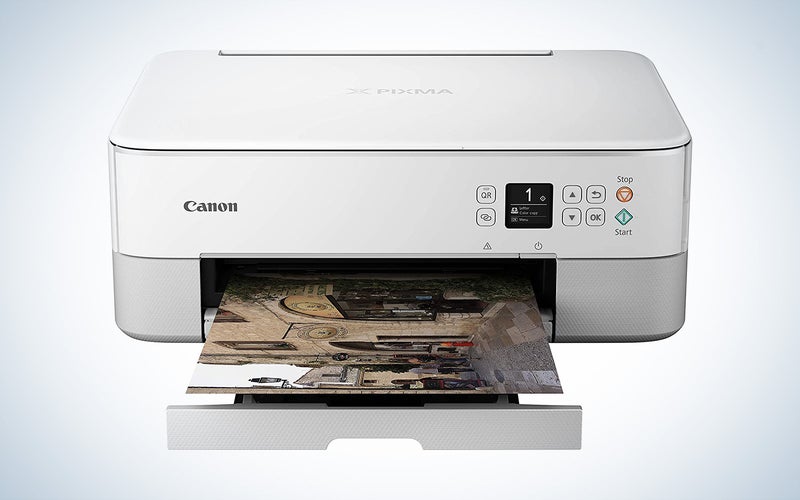
Best budget: Canon Pixma TS5320
Canon
Why it made the cut: It’s an affordable all-in-one that still churns out good photo quality.
Specs
- Printer size: 15.9 x 12.5 x 5.9 inches
- Ink: 2 cartridges
- Max print size: 8.5 x 14 inches
- Max resolution: 4800 x 1200 dpi
Pros
- Very compact
- Good photo quality
- Auto duplexing
- Lots of connectivity options
Cons
- Four-color, two-cartridge system tends to waste ink
The Canon Pixma TS5320 is a fantastic budget photo printer that offers unique features and high-quality prints without breaking the bank. A scanner and copier function add to its versatility as a home office tool, and it’s compatible with Alexa for easy hands-free control. Or you can connect via WiFi, BlueTooth, USB 2.0, or even direct from your Canon camera using PictBridge Wireless.
Measuring just 15.9 x 12.5 x 5.9 inches, it’s significantly compact. And because it’s also available in four stylish colors, it’s built to look good in any home office. It uses a two-cartridge system, with one black and one color cartridge. Unfortunately, this does lead to wasted ink if you aren’t using colors equally, but it does make changing ink simple, at least.
With a max resolution of 4800 x 1200 dpi, you’ll be able to get good photo quality, especially for such a budget option. It can print up to 8.5 by 14 inches or borderless up to 8.5 x 11 inches. It has two 100-sheet trays (one in front and one in the rear) and can hold 20 sheets of letter-size photo paper in the rear tray. It’s not the cheapest printer out there, but we wouldn’t recommend going cheaper than this if you want to print photos that have good quality.
Things to consider when shopping for the best printers for photos
With most printer decisions, you generally need to consider both inkjet and laser printers. But, when it comes to printing photographs, inkjet is king. This is because inkjet printers are much better at reproducing accurate colors with smoother gradients and subtle shifts. In addition, thanks to the tiny droplets of ink that inkjet printers use to print an image, they can also produce better detail within a photograph. So, if you are looking for the best printers for photos, stick with an inkjet.
Dye versus pigment-based inks
As ink technology has advanced, the difference between pigment and dye-based inks has narrowed significantly. The differences pointed out below are subtle, but it is still worth paying attention to if you want to be particular about your photos.
Pigment-based inks are typically used in professional settings. That’s because they can be more durable, UV resistant, and archival when used with the right paper. Monochrome photographers especially gravitate towards pigment inks because a broader range of shades is possible compared to dye-based ink. And pigment-based inks perform well on a variety of paper finishes, from glossy to matte or even canvas.
Dye-based inks are more affordable to produce, which is why you see them in entry-level and mid-range photo printers. They offer more vibrancy than pigment inks, which is ideal for subjects like landscapes. And they really perform well on glossy paper. But they aren’t as durable. In addition, they don’t dry as fast, so you’ll need to be careful handling dye-based prints fresh out of the printer to avoid smudges and smears.
Number of colors
When it comes to printing photographs, more is better regarding ink colors. Traditional home printers typically have four colors in two cartridges–one black and one cartridge that has cyan, magenta, and yellow. While that suffices for basic photos and documents, more ink colors will allow for more accurate colors, a wider color gamut, and smoother gradients.
Higher-end photo printers will have individual ink cartridges that cover more colors. Sometimes they will even have grays or different types of blacks (yes, that’s a thing) to provide better black-and-white results and better printing on various paper types. If you want the best possible photo prints, look for a printer with at least six colors.
And while you may be overwhelmed at the idea of paying for so many ink cartridges, there is an upside to individual cartridges for different colors. You likely won’t go through each color equally, so when one runs out, you only need to replace that one. The two-cartridge system can result in quite a bit of wasted ink since you need to replace it when one of the three colors runs out, regardless of how much is left of the other two.
Resolution
While a printer’s resolution isn’t the end-all-be-all for quality (ink quality and the number of nozzles also matter), it does play a significant role. That’s why you want to be sure to get a printer with a higher resolution if you want to print highly detailed, quality photographs. Generally speaking, you’ll want a printer with a resolution higher than 2880 by 1440 dpi for photos.
All-in-one or single-function printer
There are two main options for printers regarding functionality: single function or all-in-one. All-in-one printers offer printing, scanning, copying, and occasionally faxing. On the other hand, single-function printers only print. They can’t perform any other tasks. Single-function printers will offer higher quality than what you can get from an all-in-one, but of course, have reduced functionality.
If you want to print the occasional photograph for fun and have other printing needs, an all-in-one is probably the best way to go. However, a single-function printer is necessary if you are a professional photographer making prints for clients or galleries due to the quality requirements for such needs.
Media handling: Roll or sheets
The last major feature to pay attention to when choosing a printer is how the printer handles paper. Some printers will only accept sheets of paper. That means you are limited to standard paper sizes. That may not necessarily be a bad thing, depending on what you are using the photos for, but some may not appreciate that. You also have to keep feeding paper into the printer.
Rolls of paper can be much more economical than sheets. It is a larger investment upfront, but it may save you money per print. They also allow for more flexibility with what size you print your images since the width is the only limitation. And you won’t need to put a sheet of paper in whenever you need to print.
FAQs
Q: Do you need a special printer to print photos?
No, you do not need a special printer to print photos, depending on what you are using the photos for. For example, if you just want to print out some images to have for fun or give to friends and family, a traditional home printer may be plenty to do the job.
However, if you want quality photo prints, you will need to pay attention to the printer specs and get something specific. Photo printers are just inkjet printers, so the technology isn’t anything fancy, but you will need a higher-end printer if you want to print quality photos. Look for something with at least six ink colors, a high resolution, and the ability to handle different paper types.
Q: Is it worth buying a photo printer?
It is worth buying a photo printer, depending on what you want to use the resulting prints for. If you want a printer at home for printing photos to decorate your dorm room or give snapshots to friends and family, buying a more basic printer will save you money on both the printer and ink.
But, it is a worthy investment if you are a professional photographer or artist wanting to sell prints. It can save you money in the long run instead of outsourcing your printing. And, perhaps more importantly, it will give you more control over the quality and timeline than a commercial printer would.
Q: What should I look for when buying a photo printer?
Though there are lots of things that you should look for when buying a photo printer, a few are most important. First, pay attention to the number of ink colors and ink type, as both significantly impact quality. You’ll also want to look at dots per inch (dpi) since photos require higher resolution than text printing. Lastly, verify that the printer can print the sizes and handle the types of paper you want.
Q: Is inkjet or laser better?
Inkjet printers are the top choice for photo printing due to the precise nature of the inkjet printing process, which involves shooting millions of tiny dots of ink onto the paper. The end result is a dynamic, high-contrast image that is much more natural and true to the source than the quicker, heat-based process of a laser printer can produce.
Q: Does printing photos use a lot of ink?
Printing photos does indeed use a lot of ink. Unlike text documents, where there is more white paper than ink, printed photographs require large areas of ink. That means that you’ll go through a lot more ink to create a photo print than you would a text document.
Q: Are photos from at-home photo printers high quality?
Photos from at-home photo printers can be high quality. It all depends on the home printer; any of the options listed above could be home printers. Your basic all-in-one home printer will not produce very high-quality photos, but if you focus on the correct specs and get a printer intended to print photographs, it can produce quality prints.
Q: Can photo printers print on paper too?
Most photo printers can also print on standard copy paper, but it’s not something we’d recommend. Using a photo printer to print on copy paper will waste a lot of ink, which isn’t cheap. Instead, if you have a dedicated photo printer, we’d suggest getting an inexpensive all-in-one to handle your document printing needs.
Final thoughts on shopping for the best printers for photos
- Best overall: Canon PIXMA PRO-200
- Best wide format: Epson SureColor P900
- Best for professionals: Canon imagePROGRAF Pro-4100
- Best tank: Epson EcoTank Photo ET-8550 All-in-One Supertank
- Best for 4×6 prints: HP Sprocket Studio
- Best for at home: Epson Expression Premium XP-7100
- Best budget: Canon Pixma TS5320
There is no shortage of printers for photos available in the current market, so knowing how to decipher what is best for your needs can be challenging. Narrowing down the type of things you plan on printing and how you intend to use those prints will help you prioritize the features most beneficial for you. Dedicated photo printers can get expensive, but we think the Canon PIXMA PRO-200 is the most well-rounded option for price, quality, and features.
Why trust us
PopPhoto has a long history of delivering the opinions of some of the sharpest and most prolific camera dorks the world has to offer. Since 1937, we’ve been reviewing cameras, providing wisdom from well-known photographers, and generally just nerding out about all that goes into making great pictures. Our current crop of writers and editors have decades of professional photography and camera writing experience among them. Collectively, we’ve probably shot with just about every camera and lens combo you can imagine—as well as some obscure stuff you may not even know about. Remember the Casio Tryx folding camera? PopPhoto does.
We also get that buying a camera is a big decision, which is why we’re dedicated to helping folks choose the right one (or, in our case “ones”) for their needs. Case in point: Handing over top dollar for an expensive rig may leave you unsatisfied if it doesn’t fit your preferred shooting style. Sure, a $6,000 sports-oriented DSLR can capture landscapes, but do you really need to do it at 30 frames-per-second? No, you don’t.
