Photo tips: 10 ways to take better photos with your smartphone
A good photo is a good photo, no matter what device it's taken with


The rally cry of “get a real camera” can be heard echoing through the rafters of comment sections for many websites. We think everyone should have a dedicated camera, but a good photo is a good photo, regardless of the gear used to take it. Camera phones have some inherent strengths and weaknesses, and by emphasizing the good and downplaying the bad, you can take silence naysayers before they can get to the enter key. Here are some things to keep in mind when firing up the photo app on your iPhone, Droid, Lumia or whatever.

Many smartphone cameras offer a digital zoom function, but you’re almost always best served by pretending it doesn’t exist. Even in the live-view preview, you’ll be able to see how noticeably your images degrade the second you start to zoom. The camera is simply extrapolating what’s already there and basically guessing what the image looks like. It gets ugly fast.
When you’re cropping, however, you’re actually just sampling pixel info that was actually recorded. Many smartphones have 8-megapixels of resolution and sometimes more. That means you can crop substantially and still have plenty of resolution left for display on the web. And the lack of gross upscaling artifacts will help mask the fact that it was taken with a phone.
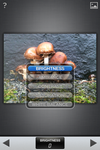
If you want your images to be unique, the last thing you should do is paint them with the same filters that literally millions of other people are using. For the record, I’m not anti-Instagram. I think the sharing element is fantastic, but the pre-determined “retro” washes are played out. And that goes for every other app slinging the same stuff.
I suggest getting a full-on image editing app like the excellent SnapSeed, Photoshop Express, or iPhoto. They’ll let you make reasonable adjustments, like contrast, sharpness, and color temperature. Stuff you’d actually do with images from your big camera. It’s also not crazy to dump your images into Lightroom or another piece of editing software if you don’t feel the need to share them right away. OK, it’s a little crazy, but people do it.
It’s with this decision that you can actually begin to choose your own style, or even extend the style you’ve already developed outside of your smartphone. It’s a heck of a lot more effective than picking your favorite Hipstamatic filter and slapping it on every photo.

Depth of field will always be one of the biggest challenges for a smartphone camera. Wide angle lenses and tiny sensors make any substantial background blur difficult to achieve. But faking it almost always makes things worse.
First, blur added with an editing app is usually applied uniformly across most of the frame. That’s not the way a lens works, so it looks unnatural.
Second, it’s hard to be precise when selecting the object you want in focus so you can end up with harsh transitions from sharp to blurry. It’s distracting and a dead give away that you’ve been messing with the image.
If you want the viewer to focus on one specific thing, make it the central object in the frame. Try to keep your backgrounds as simple as possible, even if it means asking your subjects to turn around or move a few steps back. It’s worth it.

Pick a Better Camera App
This one applies more to iPhone users than Android users, but in any case, the goal is more control. There are a couple of standard choices in this category and any of them will treat you better than the stock camera app. I like Camera Awesome (made by SmugMug) because it allows you to shoot in bursts and separates the AF lock from the exposure lock. It’s also free. Other apps like Camera+ have similar options for more controlled shooting.
Whatever you pick, it’s worth it to spend a little time really getting used to it. It seems silly to take out your phone and practice taking pictures, but you’ll be glad you did it if you manage to catch a great shot while others are still flipping through pages of apps or trying to turn off their stupid flash.

The problem with many smartphone flashes is that they don’t actually, well, flash. They’re glorified LED flashlights, thrust into a duty they’re not fully prepared for. They are bright, but the color temperature can be gross and they miss one of the primary duties of a strobe: freezing the action in the frame. The actual “flash” duration is much too long, so you end up with an image that’s both blurry and terribly-lit. Not to mention how close it is to the lens, which makes those horrible demon eyes almost a given.
So, what do you do in the dark, then? Unfortunately, even with advances like Nokia’s nifty PureView technology, there’s only so far you can push a smartphone sensor in low-light. Often, your best bet is to seek out another light source. It likely won’t be perfect or even flattering, but it can be interesting. In a dark bar? Look for a neon sign or a bright juke box. At a concert? Wait until one of the wacky swinging stage lights makes its way over to your area. Photography is about creativity after all.
If it comes right down to it, though, getting a bad flash picture can be better than getting no picture at all if you just want to remember a moment.

Your pocket is not a clean place, and the grime that lives within loves to glom onto your smartphone camera lens. The result are hazy, dark images that won’t look good no matter how many retro filters you slap on them.
The lenses are now remarkably tough, so giving them a quick wipe with a soft cloth can’t hurt (and your T-shirt will do OK in a pinch, but try not to make a habit of it). Once in a while, it’s worth the effort to break out the lens cleaning solution and really get the grime off of it. It may not look dirty and you might not even notice it in your photos, but often a deep clean will make a difference.

Watch the Lens Flare
Adding lens flare is another trend in mobile photography right now that’s getting more overdone by the minute. But, this one can actually work for you if you do it the natural way. The tiny lenses are often more prone to wacky light effects than their full-sized counterparts, so you can really play it up if you want to. A silhouette with a bright, flaring background can actually look very stylish.
If you want to control the flare in your shot, move the sun (or whatever bright light source is causing the refraction-based mayhem) around in the frame. As you get closer to the edge, you’ll often see the flare spread out and become more prominent. This is especially true with the new iPhone 5, which is also prone to image-ruining purple fringing that should be avoided if possible.
You can also cup your hand around the lens in order to make a DIY lens hood, which will cut down on the amount of flare if the light source happens to be out to the side of the frame. It may even be able to get rid of it all together.

There’s a disconnect that exists between digital and analog photography at the moment. Many photo enthusiasts barely make prints anymore, if at all. Putting photos to paper makes them tangible and take away some of the assumptions people often make when looking at photos online.
It sounds a bit crazy, I know, but I’ve found it to be true. Give it a try. Chances are, if the photo is good, you’ll get the whole “you took this with your phone?” reaction that you’re looking for.

Just because the camera can also make calls, doesn’t mean you should ignore everything you know about balanced composition and expressive lighting. If you need to keep the rule of thirds or golden ratio layover on your screen at all times to help remind you, certainly turn it on.
While the tips I’ve outlined here will help you maximize the strengths and minimize weaknesses of a smartphone camera, it’s ultimately your skill, knowledge, and eye that will make photos worth looking at.
