





Photo of the Day





Reviews
- Best Camera for YouTube
- Best Full Frame Cameras
- Save $40 on a Fujifilm Instax Square SQ6 instant film camera during Amazon Prime Day
- The best CFexpress cards for 2023
- The best Canon lenses for 2023
- The best memory cards for cameras in 2023
- Best Vlogging Camera
- Best Cellular Trail Cameras
- The best LED ring lights of 2023
- The best cameras for beginners in 2023
- The best wide-angle lenses for Sony in 2023
- The best Canon cameras for video in 2023
- Best LED Light Panels
- Sigma 14mm f/1.4 DG DN Art review: A powerful astrophotography tool
- The best telephoto lenses for Canon in 2023
- Best Film Scanner
- Six essential pieces of gear for your photography class this fall
- Best Time Lapse Cameras
- Insta360 X3 camera review: A versatile 360 action camera
- The best tripod ball heads for 2023
- The best 8K cameras of 2023
- Grab a 15-inch Apple MacBook Air with M2 chip at its lowest price ever
- The best professional cameras of 2023
- Get a fully waterproof 4K action camera for $139 at Amazon right now
- Best Nikon Lenses
- The best photography backdrops of 2023
- Pivo Max review: An auto-tracking option for solo content creation
- Hands-on with the Peak Design Micro Clutch: A more comfortable way to hold your camera
- DJI Air 3 drone: More range with less noise
- The best wireless lavalier microphones of 2023
- The GoPro Hero 11 Black is down to its lowest price ever at Amazon right now
- Best Sony Camera
- The best memory card readers of 2023
- Best Cameras Under $1,000
- Camera deals to shop this July
- Sony updates its 70-200mm f/4 lens with macro capabilities
- Save up to 35 percent on Insta360 cameras
- Sony releases the a6700: An advanced APS-C camera
- Last-minute Prime Day deals on Sony cameras and lenses
- Last-minute Prime Day hard drive and SSD deals
- Lexar’s Prime Day deals ensure you’ll never get stuck without a memory card again
- The best non-camera gear Prime Day deals for photographers
- Upgrade your office and editing space with these Prime Day deals
- Save $260 on the DJI Air 2S Fly More Combo during Prime Day
- Save $1,200 on the Razer Blade 17 Laptop for Prime Day
- Save 20 percent on Pelican camera cases during Prime Day
- Save up to $70 on Loupedeck editing consoles via these Prime Day deals
- Save on CleverMade storage bins during Amazon Prime Day
- Expand your monitor space on the go with these Arzopa portable monitor Prime Day deals
- Amazon Prime Day deals on Nixplay digital picture frames
Latest
Best Media Storage Solutions for Pro Photographers
Sports photographer Andrew Hancock shares why he trusts SanDisk products to get the job done.
New gear: NIKKOR Z 600mm f/6.3 VR S super-telephoto prime lens
Nikon's latest super-telephoto lens is surprisingly lightweight, making it feasible to shoot handheld.

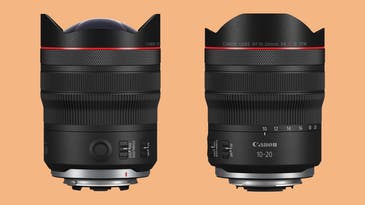
New gear: Canon RF 10-20mm f/4 L IS USM super-wide-angle zoom lens
Canon's widest RF lens features a rectilinear design to keep distortion in check.
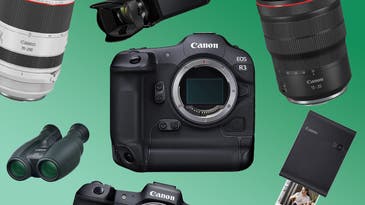
The best Amazon Prime Day deals on Canon gear
You can find some impressive deals on a wide range of Canon gear this Amazon Prime Day.
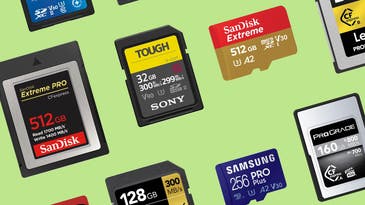
Save up to $370 on memory cards at Amazon right now
These memory card deals will help you save money on this boring essential.
Nikon announces the NIKKOR Z 135mm f/1.8 S Plena lens for immaculate bokeh
Nikon's latest lens caters to high-end portrait photographers.
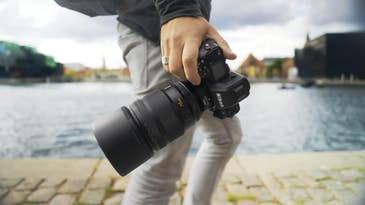
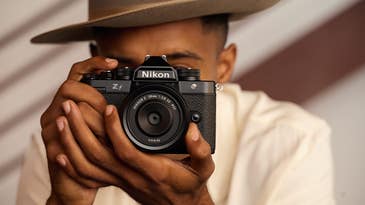
Nikon announces the Z f: A retro-looking full-frame mirrorless camera
The Nikon Z f looks like an old-school film camera, but offers plenty of advanced tech and features.
The Aura Walden is a 15-inch, wall-mountable digital photo frame
The Aura Walden's large size and wall-mounting option makes a versatile digital frame.

Save up to $500 on Canon cameras, lenses, and printers at Amazon
Whether you're gearing up for holiday portrait season or looking to capture fall beauty, you'll want to take advantage of these Canon camera and lens deals.
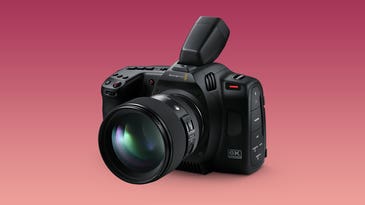
The Blackmagic Cinema Camera 6K is the company’s first full-frame camera
The latest camera from Blackmagic Design offers high-end cinema features in a compact, relatively affordable body.
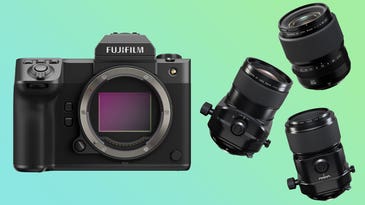
The Fujifilm GFX100 II is smaller, more capable, and yet cheaper
Fujifilm is expanding its medium format offerings with a more advanced camera and three new lenses.
What’s new about the cameras in the iPhone 15 and 15 Pro?
The new iPhone 15 and 15 Pro smartphones offer serious camera upgrades worth looking into.
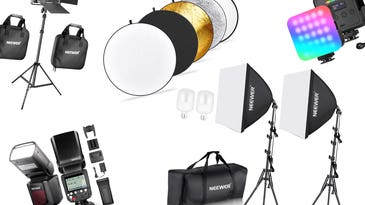
Save up to 39 percent on Neewer photo and video lighting gear at Amazon
You can save on Neewer light modifiers, video lights, strobes, and more.