Easy Steps to Better Vacation Photos
Few of today's digital cameras can handle scenes with both bright sunlight and harsh shadows. In this beginner's level tutorial, we show you how to easily expand dynamic range with Corel's Paint Shop Pro Photo X2 software.
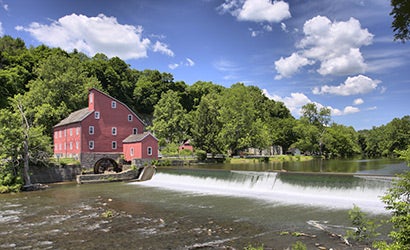
If you’ve ever been disappointed with your vacation photos because the prints didn’t look like what you saw with your eyes, it might not be your fault. When there’s bright sunlight and harsh shadows in the scene, the problems might have to do with Dynamic Range, which relates to the amount of light of different brightness levels your digital camera can capture in a single shot. There are very few digicams available that can capture great detail everywhere in the frame when the differences in light intensity vary significantly. Although our eyes can make these distinctions, digital cameras aren’t quite there yet.
The good news is that it’s not necessarily anything you’re doing wrong! If you’ve ever been to a cathedral and tried to capture the stained glass, odds are you’ve got great glass detail and total blackness, nice interior details with totally blown out windows, or simply a muddy mess.
That’s dynamic range in a nutshell. There’s a whole lot more to it than that, but that’s all you need to know to get started making better vacation photos.
In the past few years, High Dynamic Range (HDR) photography — the act of combining several shots of a given scene to overcome the exposure range limitations of traditional single-shot photography — has exploded in popularity, and until now, it has been intimidating and confusing for the beginner to jump right in. There are new file formats, a whole glossary of new terms, advanced imaging tricks, and specialized programs that must be mastered to make the most of a difficultly lit scene.
Not any more. Corel’s Paint Shop Pro Photo X2 demystifies HDR and makes it easy for everyone to make better shots when there’s a great difference of light intensity in a scene. With Paint Shop Pro Photo X2, there’s no need to learn a new set of terms, no intermediate steps, and pretty much nothing to it. Just plug a couple of differently exposed images into Paint Shop, click a few buttons, and a photorealistic merged image with great shadow and highlight detail pops out a few moments later.
1. Still scenes work best. Since you are capturing different exposures of the same scene, any moving objects will appear “ghosted” in the merged image.
2. Use a tripod to ensure image alignment between the different shots.
3. Shoot at least 3 frames of the scene at different exposures — at least 2 E.V.s apart to cover a greater dynamic range — either with AutoExposure Bracketing, or by manually changing the shutter speed. If your “normal exposure” is 1/500 at f/5.6, shoot another one at 1/2000 at f/5.6 and the third at 1/125 at f/5.6 to get great detail in both the shadows and highlights.
4. Change exposure by changing shutter speed, not ISO rating or aperture (f/stop), as both of these exposure-altering methods can have a negative impact on the final image quality.
5. If you’ve got great detail in a single frame from your bracketed series — with detailed shadows and highlights — you may not need to merge the series. HDR really works best when it isn’t possible to hold all the detail in a single frame.
6. Have fun and share your results in our forum!